To participate in governance, users can lock ICP utility tokens in a neuron. This is also called staking. The balance of ICP utility tokens is locked for a given time which is called the dissolve delay and the tokens can only be unlocked by fully dissolving the neuron. The longer the tokens are locked, the more voting power a neuron has. See more details on voting power.
How to Stake ICP utility tokens in a neuron
After you transfer ICP utility tokens to the NNS dapp, you can use it to create and manage neurons, vote on proposals, and create canisters on the Internet Computer.
Neurons are required to participate in governance to earn rewards. To create a neuron, you must lock up some number of ICP utility tokens for a period of time. The minimum stake required to create a neuron is 1 ICP utility token. You can configure the period of time the stake is locked from 6 months up to a maximum of 8 years.
To stake ICP utility tokens:
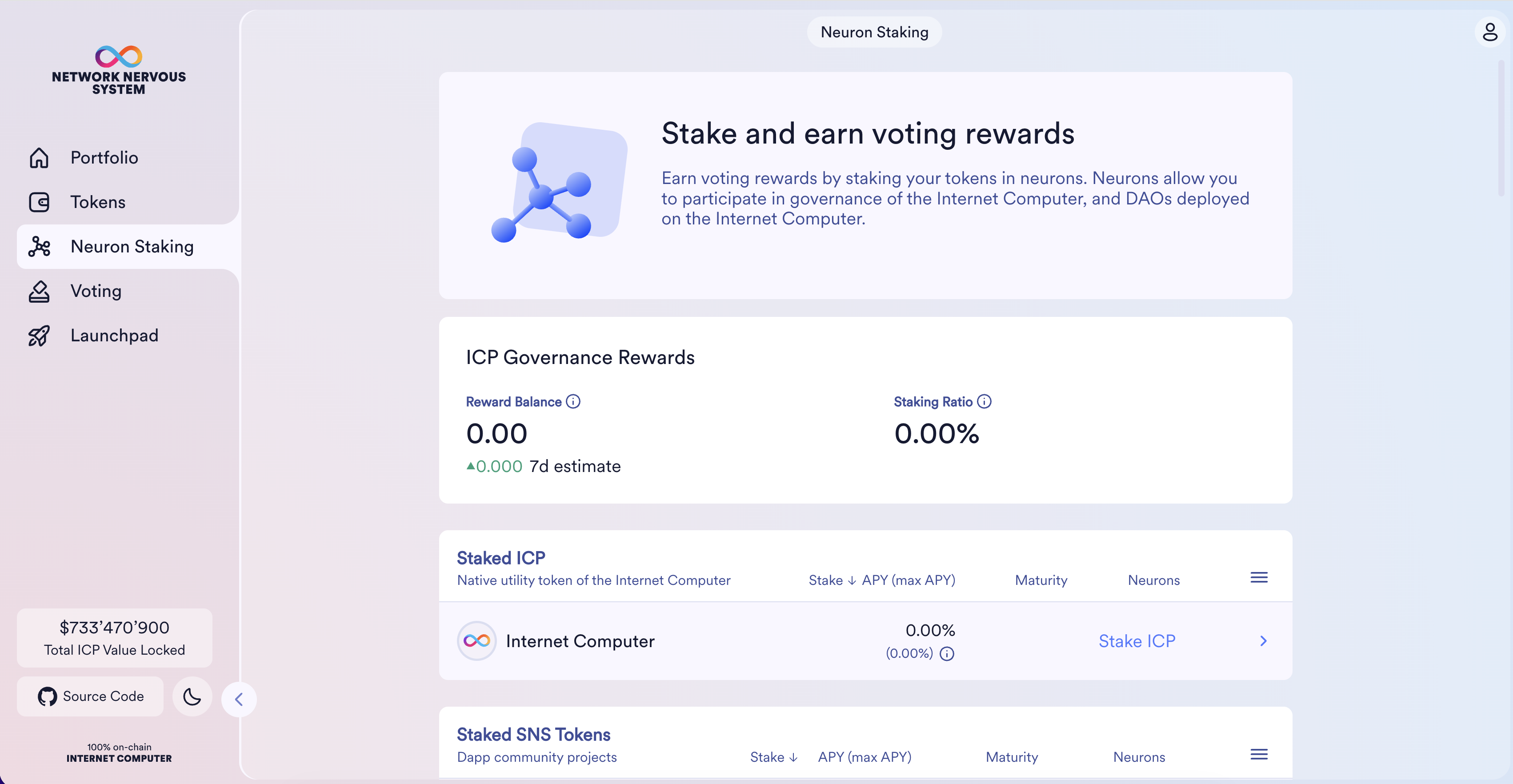
Step 1: In the NNS dapp, select Neuron Staking from the left navigation bar, then click Stake ICP in the Staked ICP table.
Step 2 : Select which wallet you'd like to use as the source, then type the number of ICP utility tokens to stake, then click Create.
Optionally, you can choose to make the neuron public.
Step 3: Set the dissolve delay for the neuron to control the length of time the stake is locked, then click Set Delay.
You can also skip this step and set the dissolve delay later. However, in that case your neuron is not yet eligible to vote and will not get any voting rewards.
Once you staked a neuron, you can configure it and use it for voting.